

What you can track
API-level metrics
Total verifications, active keys, usage trends across your entire API.
Key-level metrics
Per-key usage, success/failure rates, geographic distribution.
Custom tags
Add context to verifications: endpoint, resource, version, region.
Identity tracking
Track usage across multiple keys for the same user.
Per-API analytics
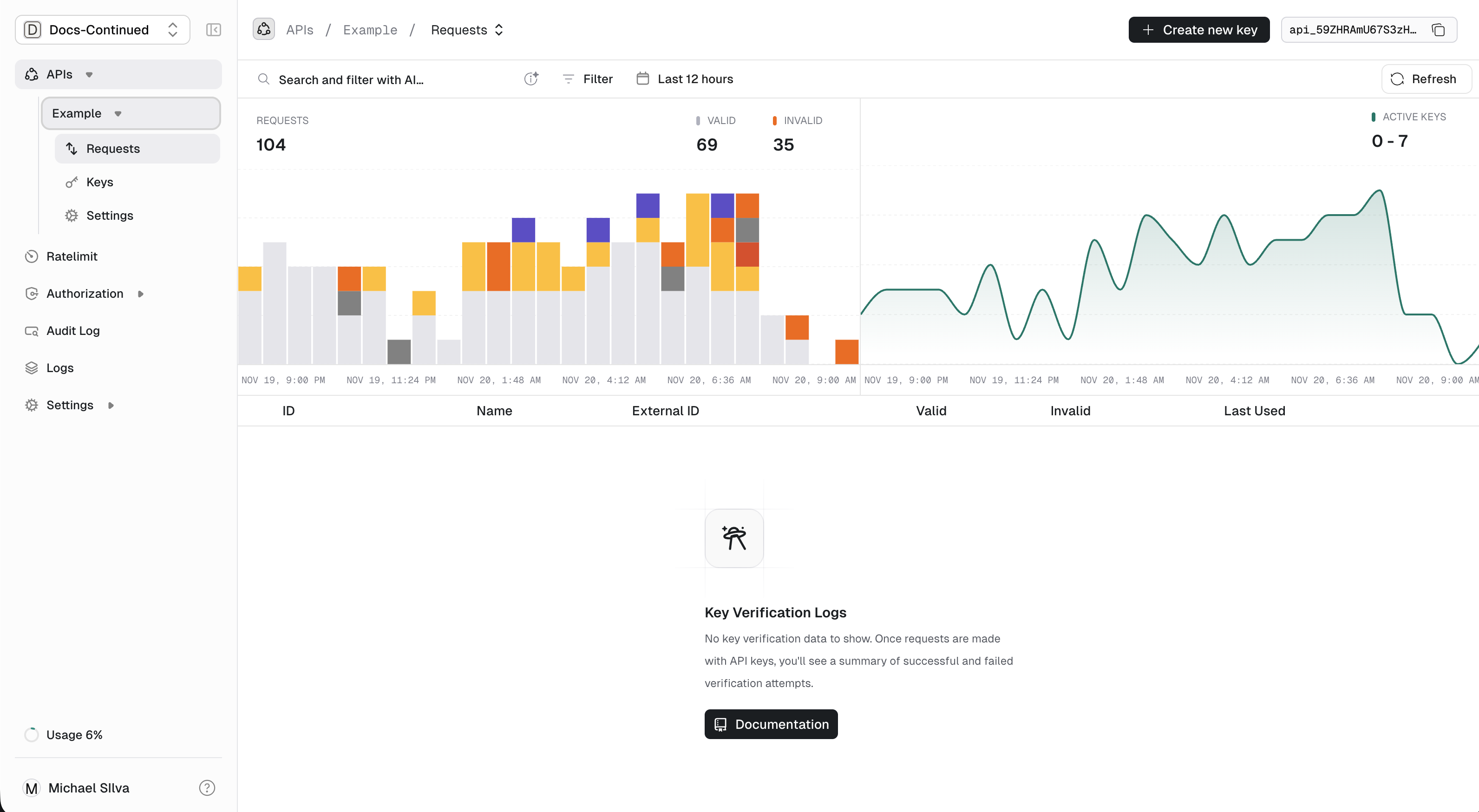
The dashboard shows aggregate metrics for each API:- Total keys: How many keys exist for this API
- Active keys: Keys used in the last 30 days
- Verifications: Total verification requests over time
- Success/failure rates: Valid vs invalid/expired/rate-limited
Per-key analytics
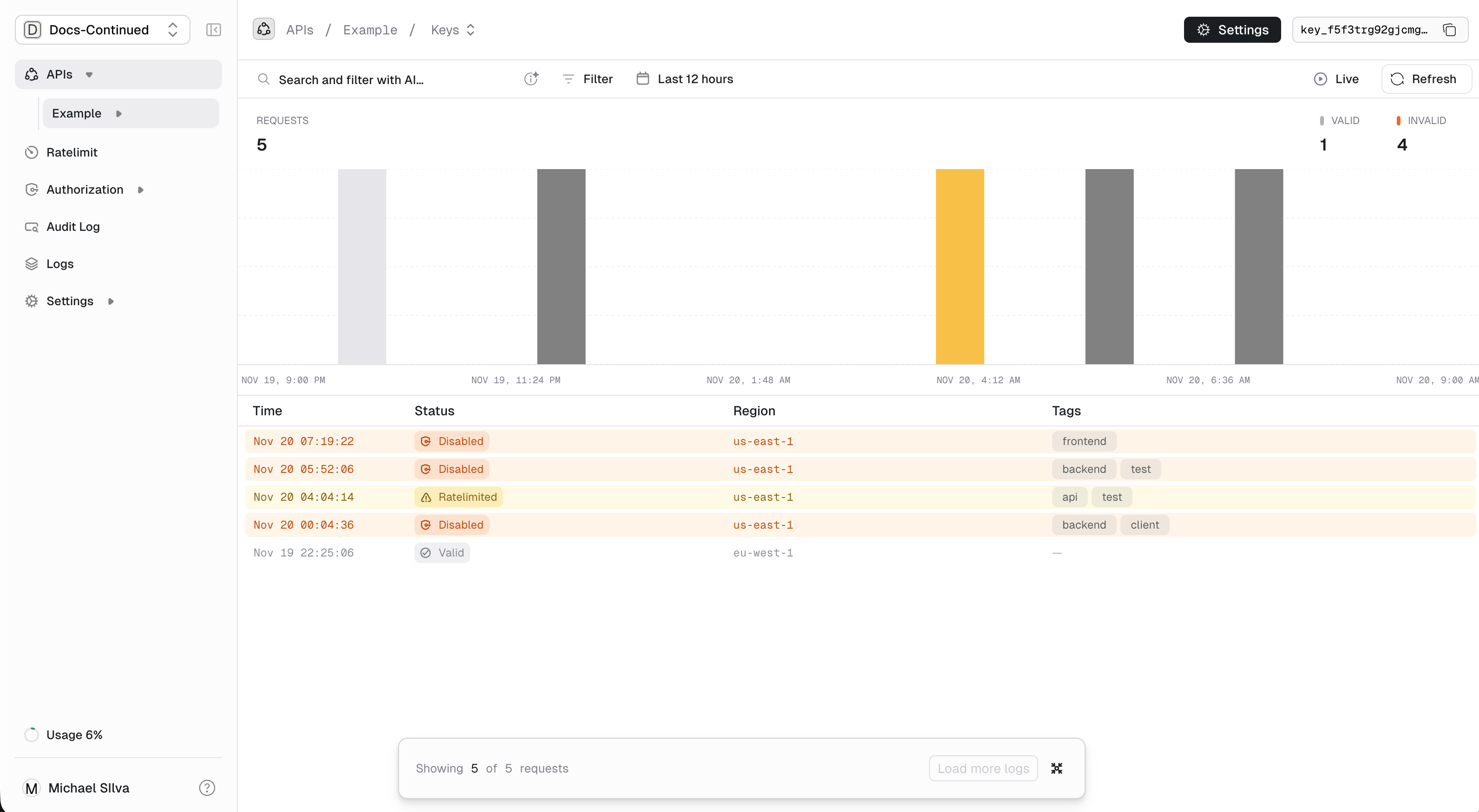
Drill into individual keys to see:- Usage over time: Verification volume by day/hour
- Geographic distribution: Where requests originate
- Response codes: Success, rate limited, expired, etc.
- Remaining credits: If using usage limits
Tags: Custom dimensions
Tags let you add context to verification requests. Later, you can filter and aggregate analytics by these tags.Example use cases
- By endpoint:
path=/v1/posts.create— see which endpoints are most used - By resource:
postId=post_123— track access to specific resources - By version:
apiVersion=2.1.0— compare usage across versions - By region:
region=us-east-1— geographic breakdown
Adding tags to verification
Include up to 10 tags per verification request:Tag format
Tags are arbitrary strings. Unkey doesn’t parse them, but we recommend key-value format for consistency:- Up to 10 tags per request
- Each tag: 1-128 characters
Tag naming conventions
Pick a convention and stick with it:Identity-level analytics
When keys are linked to an identity, you can track usage across all keys belonging to that identity. This is useful when users have multiple keys (e.g., different environments or applications).Querying analytics
Analytics can be queried via the API for building custom dashboards:We’re working on a v2 analytics API with advanced SQL querying capabilities. Contact us if you’re interested in early access.